Freesbe

Phone

A phone system that lives in your team chat.

Freesbe sells a business phone system: turn it on, buy local or toll-free numbers in the United States or Canada, and calls ring in the browser or the desktop app with hold, transfer, a keypad and voicemail. A number rings up to 20 people, with business hours, emergency calling (E911) and click-to-call from your CRM. Or bring your sip.io account.

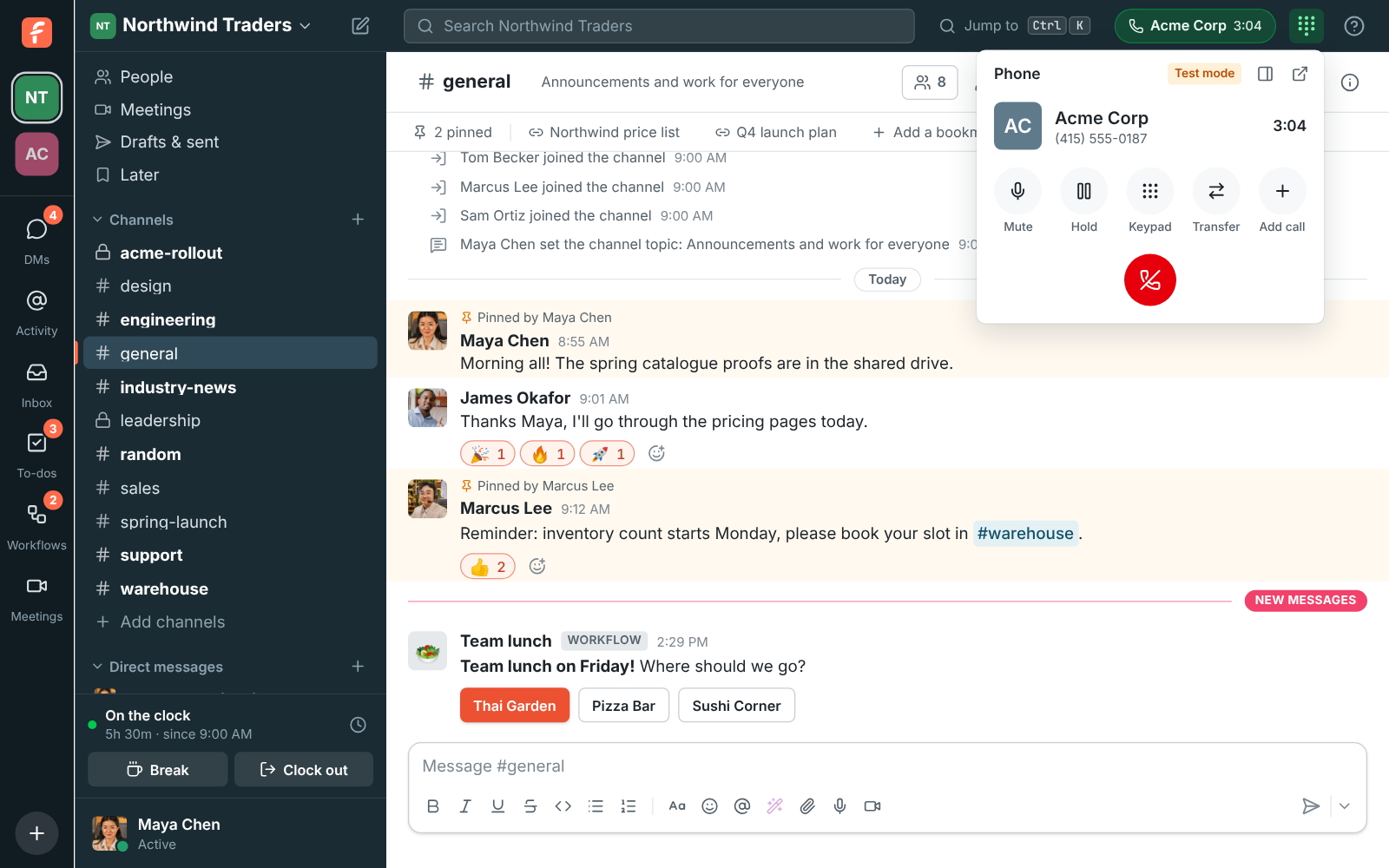
A phone call in Freesbe: the call bar with who you're calling, the time on the call, mute, hold, keypad, transfer and hang up

Numbers in minutes, nothing to sign up for elsewhere

An admin picks the country, turns the phone system on and buys a number: local or toll-free, in the area code you want. One local number comes with each person on the Phone system add-on. Choose who it rings, and the first time it rings someone their phone account is made for them. A number can ring up to 20 people at once, so the first person free answers.

  • Business hours, closed days and voicemail after hours, per number
  • Release a number when you no longer need it; numbers are kept 30 days if you turn the system off
  • Calls to the United States and Canada right away, other countries after a review
Pick your number: local numbers in the 415 area code marked Included, one picked

Calls in the app

When a number rings, a card shows who's calling with Answer and Decline, and your ringtone plays. Make a call from the dialpad, by typing a colleague's extension, or by clicking a number on a profile or in a message. The call bar has Mute, Hold, a Keypad for menus that say press 1, Transfer to a number or extension, and Hang up.

  • Your calls from the last 30 days under the keypad, missed ones in red
  • Voicemail arrives in your own DM as a message with the recording
  • Calls ring in one Freesbe window at a time, and your desk phone keeps ringing too
The dialpad open from the top bar, with a number typed in

See it on your own team's data.

Start free with up to 10 people and try it today, or book a 20-minute demo with the people who make Freesbe.

Emergency calling (E911)

Admins add the workspace's emergency addresses, with the street number and suite or floor, and each address shows whether the carrier confirmed it. Each person picks where they work from, including an address like home that only they see. When someone calls 911, a channel or every admin hears about it right away, with who called, from where and the number to call them back.

Workspace settings, Phone, Emergency calling: the Seattle office as the default and the Tacoma warehouse, both confirmed

Click-to-call from your CRM, texts in a channel

A Call button in your CRM, help desk or your own app calls through Freesbe: the person's Freesbe phone rings first, then Freesbe dials the customer from your workspace's number. When the call ends, an event says whether the customer answered and how long you talked, so the CRM can log it. Texts customers send to your numbers land in a channel, one thread per customer, with replies going back as texts.

Workspace settings, Phone: Freesbe's phone system is on, with three numbers and who each one rings

Or bring the phone system you already have

Already on sip.io? An admin connects it once with the API address, account ID and key. Then each person gets SIP credentials from their preferences for a desk phone or softphone, which registers straight with sip.io so calls work when Freesbe is closed. The dialpad hands numbers to your softphone. Leavers' devices are turned off and their passwords scrambled.

Preferences, Phone: the SIP server, username and password for a desk phone

Questions

Do I need another phone provider?
No. The phone system from Freesbe gives you numbers and calling with nothing to sign up for elsewhere. If you already have a sip.io account, connect it instead; a workspace uses one or the other.
What does the phone system cost?
It's the Phone system add-on, bought on top of any paid plan, with a local number for each person included. Extra local numbers and toll-free numbers are priced per number. The pricing page has the current prices.
Where do calls work?
Numbers and emergency addresses are in the United States and Canada for now. A new phone system can call both right away; other countries open up once your account has been reviewed. Calls happen in the browser or the desktop app.
Can customers text us?
Yes. Put a number in the customer inbox and texts to it land in a channel, one thread per customer. It starts in test mode, and in the US a number needs its business texting registration before it texts customers.

Try all of it free with up to 10 people.

No card, no time limit. Invite your team and see what sticks.